
Post a Job on Monster and Dice
Hivemind doesn't connect to Monster or Dice. You post the job on each board yourself and point its apply button at your Hivemind application link, so every applicant lands in your pipeline with your screening and assessments running from the first minute.
Before you start
- The pipeline is active. Only an active pipeline takes applications. A draft's link doesn't open for candidates, and a deactivated pipeline's link shows This pipeline is no longer active.
- You have an employer account on each board with a job slot or credit to post with. Hivemind doesn't sell or manage these.
1. Copy your Hivemind application link
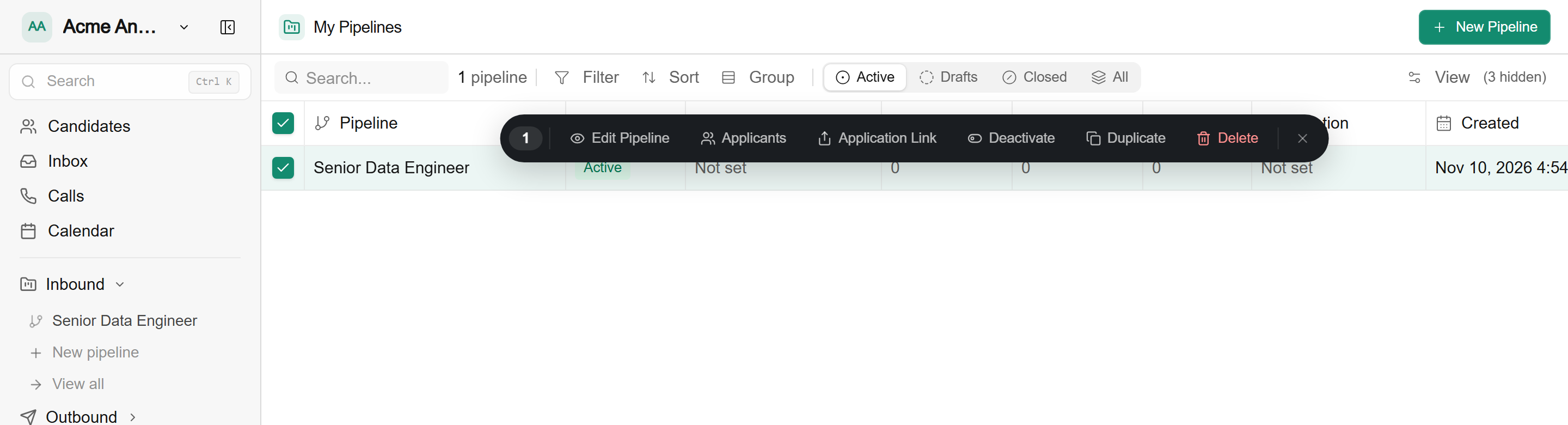
- Go to My Pipelines (View all under Inbound in the sidebar).
- Tick the checkbox on the job's row. A bar of actions appears above it.
- Click Application Link. You'll see Link copied.
The link ends in /application/<pipeline id>. Use the same link on both boards. Inside the pipeline, the Application link row on the Start card copies the same link.
2. Post the job on Dice
These steps follow Dice's own guide, How do I post a job?. Check it if a screen looks different.
- Sign in to your employer account at dice.com/employer.
- Click Jobs and select Post a Job.
- Fill in the job. Copy the title and description from your Hivemind pipeline so both say the same thing.
- Under Application Method, select Via URL and paste your Hivemind application link.
- Click Post as Active. Dice says the job is live and searchable within 30 minutes.
Dice's screener questions only work with its built-in Via Dice plus Email method. With Via URL, screen in the pipeline instead: application form fields, resume scoring and assessments.
If your ATS already posts your jobs to Dice, applicants to those posts apply through the ATS, not Hivemind. Post this job directly on Dice as above, and don't also post it from the ATS, or applicants split between two systems.
3. Post the job on Monster
Monster's posting screens depend on your account and plan, so these steps stay general. Monster's Help Center has the current details for your account.
- Sign in to your employer account at hiring.monster.com and start a new job posting.
- Fill in the job. Copy the title and description from your Hivemind pipeline.
- When Monster asks where candidates should apply, choose to send them to your own website rather than applying on Monster, and paste your Hivemind application link.
- Publish the job.
If you don't see a choice to send candidates to your own website, check your account's apply settings or ask Monster support. Anyone who applies on Monster itself goes to your Monster applicants list, not to your Hivemind pipeline.
4. Where applicants land
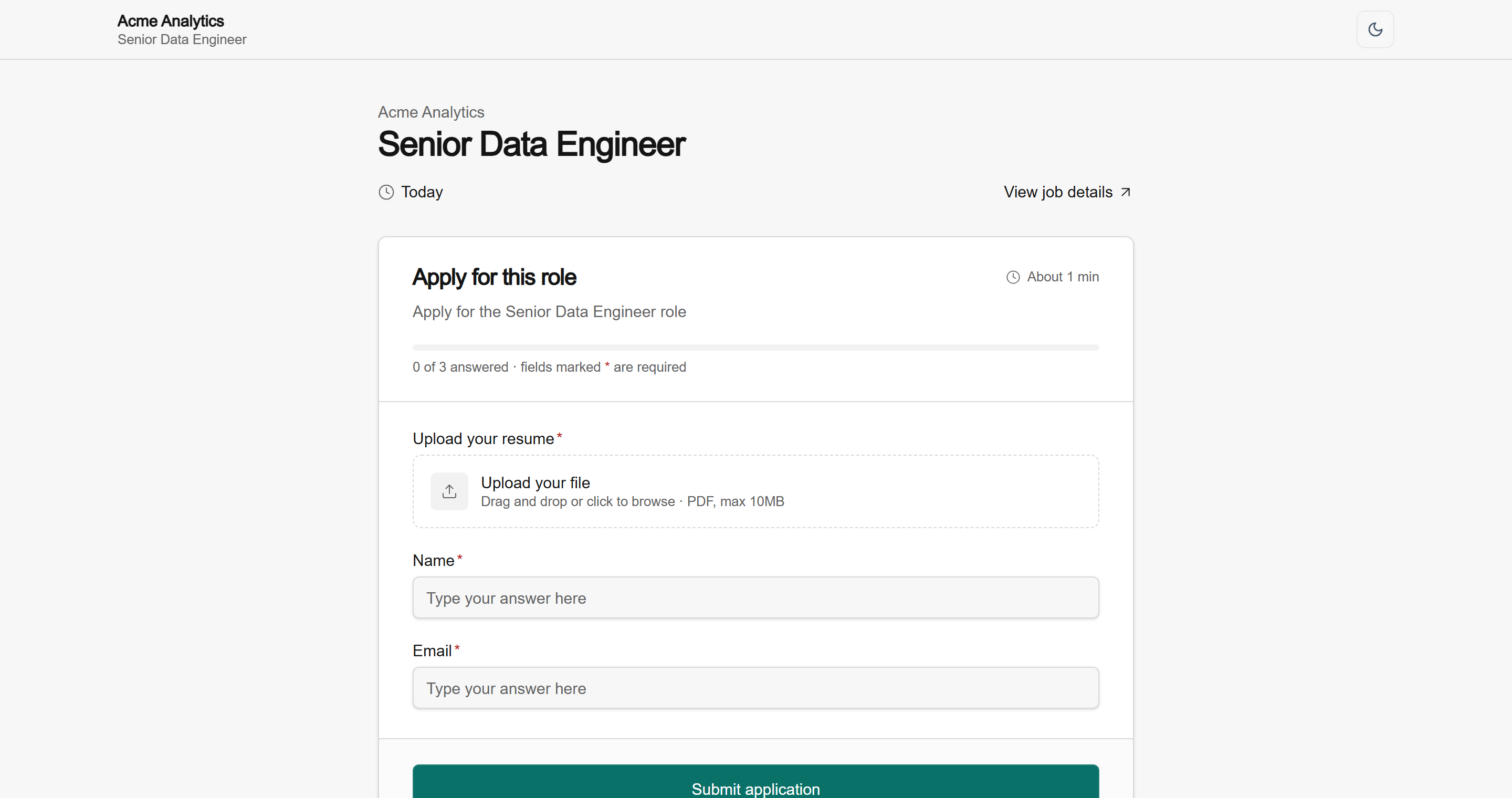
Applicants who click apply on Dice or Monster open your Hivemind application page: your company name, the job title, then the form. When they submit, they enter the pipeline at its first step, like anyone who applied from your careers page. To see them, select the job's row on My Pipelines and click Applicants.
Monster and Dice don't read from Hivemind. If the role changes, update each board's posting as well as the pipeline. When the role closes, deactivate the pipeline and close the board postings too, so candidates don't find a listing that opens to This pipeline is no longer active.
What's next
- Set up and activate the pipeline in How to Post a Job
- Post to LinkedIn straight from Hivemind with LinkedIn Job Posting
- Screen board applicants automatically with the Pipeline Nodes Reference
- Filter and move applicants in Managing Candidates in a Pipeline
Updated 2 days ago